Hi everyone, there’s a new version of nanDECK with bug fixes and the following new features:
New FRAMETRAIL function
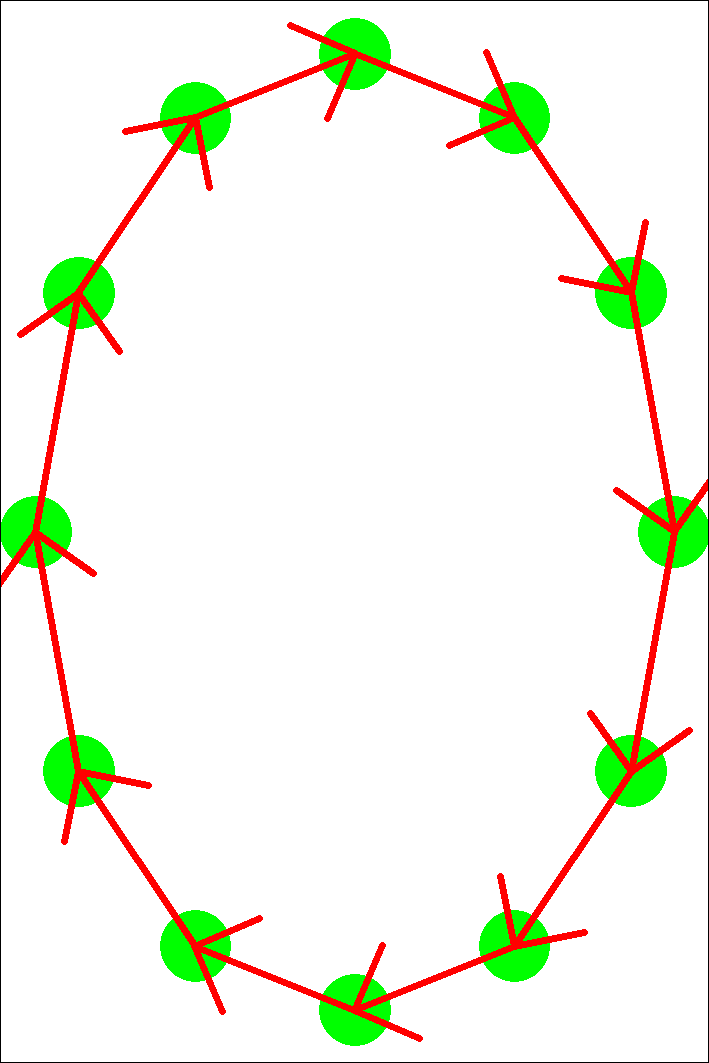
This function creates a new group of frames, taking a list of frames and creating all the frames that connect the center of one frame to the next. The syntax is:
[newframe] = FRAMETRAIL(frame list, flags)
In the flags parameter, you can use: C (at the end a frame is added that connects the last one in the list with the first one), N (a number is added to the name of the created frames), or A (by default, a frame can be created with negative width/height to be used with LINERECT, with this flag the width/height will always be positive, to be used with TEXT. Example:
[a]=frameclock(5%,5%,90%,90%,10%,10%,12)
[b]=frametrail(a*,C)
circle=1,<a*>,#00FF00
linerect=1,<b>,#FF0000,1%,,10%
Added E, T, W, M to COLORCHANGE for edge detection, posterize, twist, and emboss effects
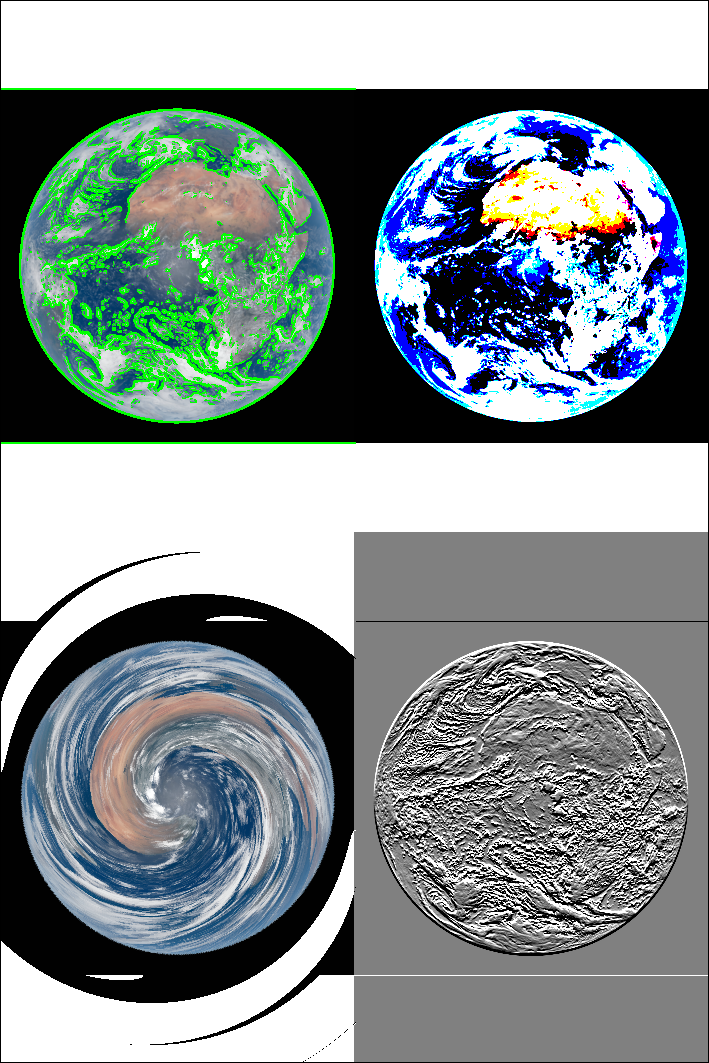
Example of the four effects:
image=1,"earth.jpg",0,0,50%,50%,0,P
copy=1,0,0,50%,50%,50%,0,50%,50%
copy=1,0,0,50%,50%,0,50%,50%,50%
copy=1,0,0,50%,50%,50%,50%,50%,50%
colorchange=1,0,0,50%,50%,#00FF00,,200,E
colorchange=1,50%,0,50%,50%,#00FF00,,2,T
colorchange=1,0,50%,50%,50%,#00FF00,,10,W
colorchange=1,50%,50%,50%,50%,#00FF00,,10,M
New RANGEAUTO directive
A LABELRANGE is typically used to create a range that identifies cards with a particular value in a sequence. This directive creates all ranges for all values in a sequence. For example:
[type] = hero|monster|monster|treasure|treasure|treasure
RANGEAUTO = type
The automatically created ranges are:
[TYPE_HERO]=1
[TYPE_MONSTER]="2,3"
[TYPE_TREASURE]="4,5,6"
New ICONCASE directive
This directive is used to set the case sensitivity of icon keys used by ICON/ICONS (by default they are case insensitive); it should be used before the first ICON line. Syntax:
ICONCASE="range", switch
The “range” is a set of cards, the switch can be ON (the keys are case sensitive) or OFF (the keys are not case sensitive, i.e. the default).
Added to TRANSFORM directive direction and intensity parameter for brightness
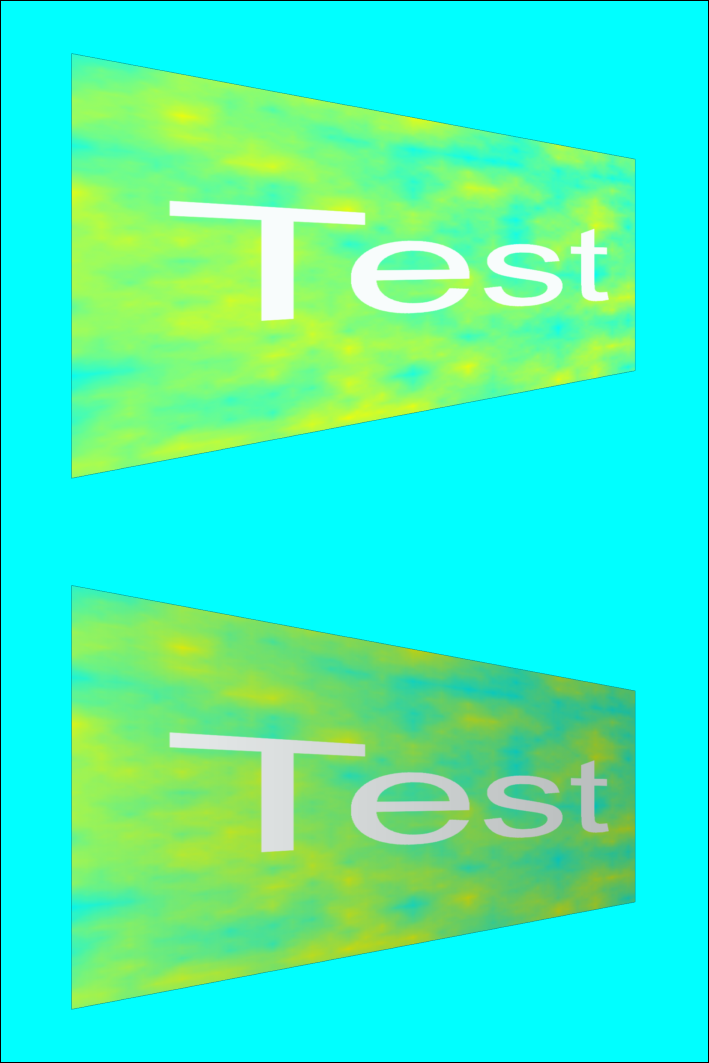
Now in TRANSFORM you can change the brightness of the result by indicating the angle and the variation in the tenth and eleventh parameters. Example (the second image has an angle of 0 and a variation of -30):
rectangle=1,0,0,100%,100%,#00FFFF
transform=1,10,10,90,30,90,70,10,90
image=1,test.png,0,0,100%,50%
transform=1,10,10,90,30,90,70,10,90,0,-30
image=1,test.png,0,50%,100%,50%
Added Q flag to HTMLFONT to use multiple outline colors
The Q flag allows you to use a sequence of colors to indicate multiple outlines in a HTMLFONT line (eleventh parameter). For example:
htmlfont=font1,Arial,24,RQ,#000000,center,0,0,0,,#00FF00|#FF0000,0.05
htmltext=1,"Outline",0,0,100%,100%,#FFFFFF,0,BE,100,font1

Added D flag to ICONS and PATTERN directives to use DPI from image
If you add the D flag in the ICONS and PATTERN directives, the size of the icons will be decided based on the DPI of the image.
Added to GAMEICONS function the parameters for the outline color and steps
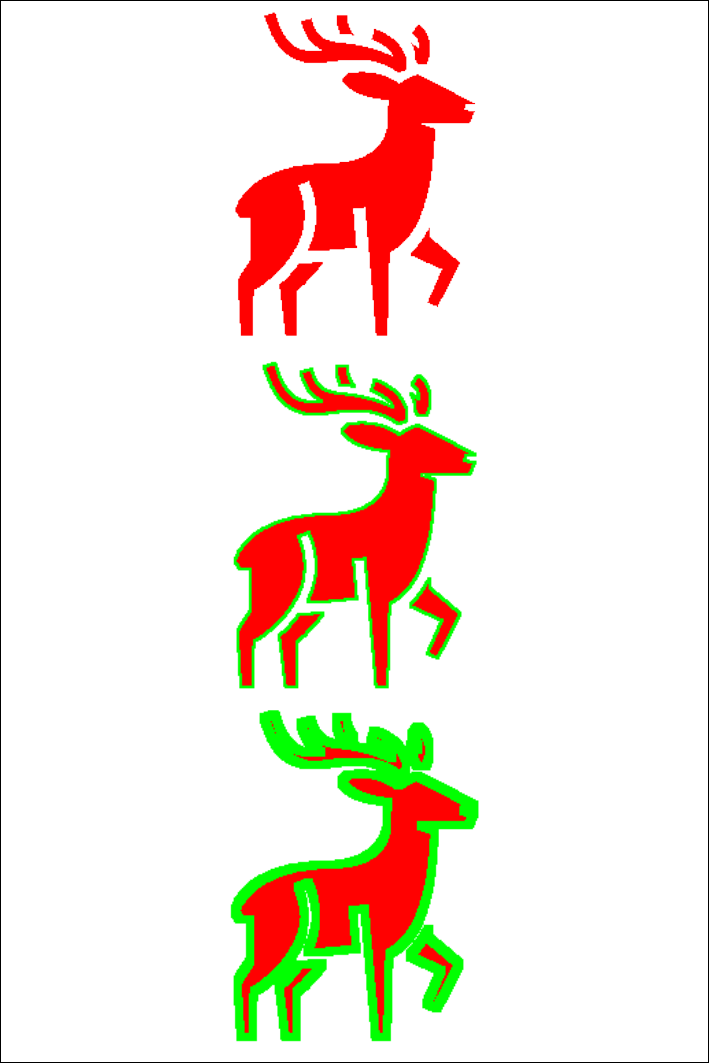
In the GAMEICONS function, used to create images corresponding to icons from game-icons.net, you can now specify a color in the fifth parameter to add a border of that color, while the sixth parameter specifies the number of border repetitions. Example:
[img1]=gameicons("deer",#FF0000,256)
[img2]=gameicons("deer",#FF0000,256,0,#00FF00)
[img3]=gameicons("deer",#FF0000,256,0,#00FF00,2)
image=1,[img1],0,0,100%,33%,0,P
image=1,[img2],0,33%,100%,33%,0,P
image=1,[img3],0,66%,100%,33%,0,P
Added flags to MANDALA to use more graphics and different alignments
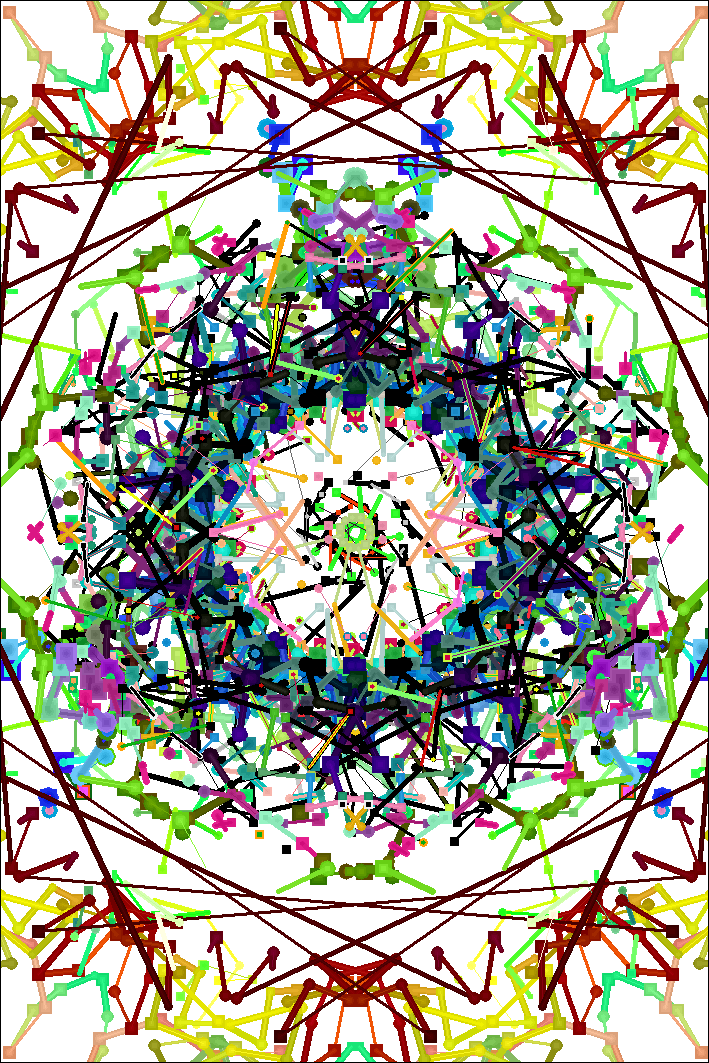
By default MANDALA uses curves to draw, now there is the 17th parameter that allows you to indicate which object to draw in one or more flags, namely: B (to draw curves, the default), L (to draw straight lines), Q (to draw small squares), P (to draw small circles), X (one of the objects is used randomly), N, E, S, W (with these a radial drawing is not made but a linear drawing that starts respectively from the top, from the right, from the bottom, from the left). Example:
mandala = 1,0,0,100%,100%,,,,,,,,,,,,LPQX
New MAPICONS function
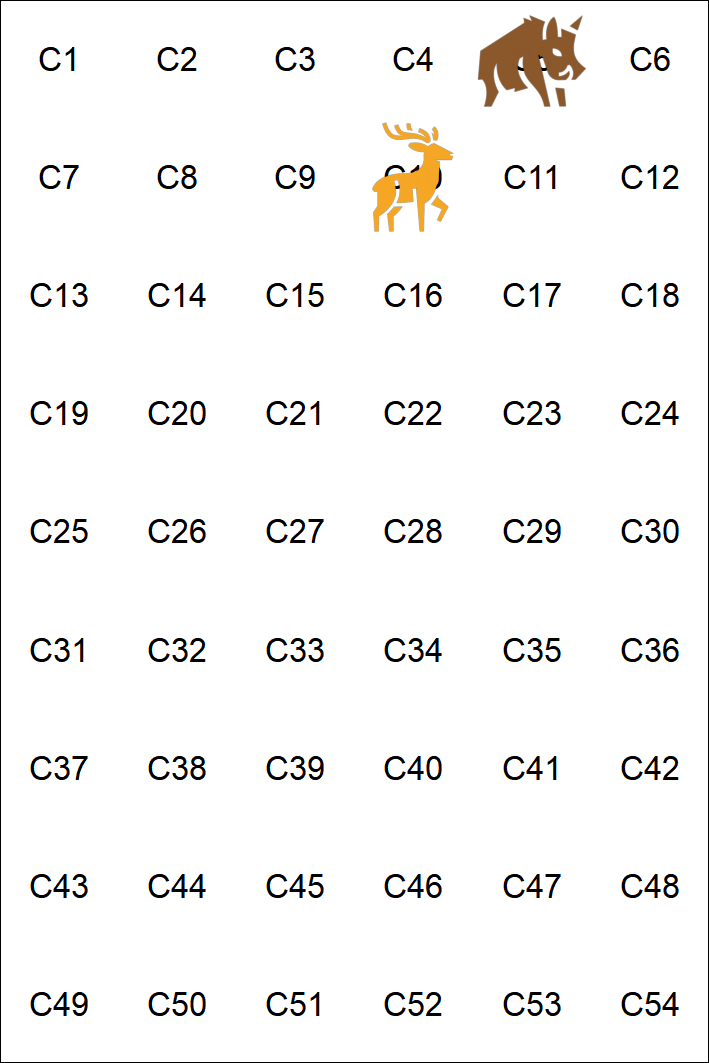
In the 17th parameter of ICONS you can specify frames for the positions of the icons, but it becomes complicated to position them. To get the string with the correct number of spaces before each icon, you can use this function, which transforms a syntax like 01(10)02(5) into a string like ” 02 01″ that is, icon 01 must be in the tenth frame and icon 02 in the fifth (empty frames are indicated by spaces). The syntax is:
[label] = MAPICONS(icons, flags, width, height)
The flag indicates which frame coordinates are used: L (letters), N (numbers), P (numbers with leading zeros), C (coordinates, width parameter must also be specified), E (coordinates with letters and numbers, width parameter must also be specified), R (coordinates with letters and numbers reversed, width and height parameters must also be specified). Example:
[a]=01(10)02(5)
[b]=mapicons([a],N)
[c]=framebox(0,0,6,9,1,1,N)
icon=,01,deer.png
icon=,02,boar.png
font=arial,8,,#000000
text=1,µ,<c*>
icons=1,[b],0,0,0,0,0,0,0,PN,center,center,100,2,100,100,c*
BGG guild:
https://boardgamegeek.com/guild/454
Discord server:
Steam link:
https://store.steampowered.com/app/3258490/nanDECK
